Create Order Editor
The order editor allows you to create or edit generated orders. Generated orders can be edited until they have been transferred to the Records Tab for processing.
Products for generated orders can be entered manually or selected from a drop down of products previously entered in the Product Editor.
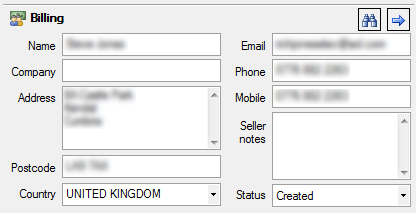
Billing Section
Enter the details and status of the billing address for the invoice.
Search & Transfer

Use the search button to find details of a previous customer, saving time on re-entering their details.
The arrow button transfers the billing section details to the delivery section
Delivery Section
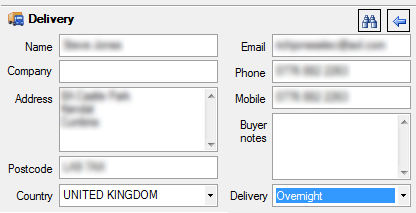
Enter the details and status of the billing address for the invoice.
Search & Transfer

Use the search button to find details of a previous customer, saving time on re-entering their details.
The arrow button transfers the delivery section details to the billing section
Items Section

The items section allows you to enter individual product information, either by typing in the details or looking up products previously entered in the Product Editor.
Payment Section

Enter the details of the payment method and any reference that you want to keep as part of your accounting.